> ## Documentation Index
> Fetch the complete documentation index at: https://docs.beam.cloud/llms.txt
> Use this file to discover all available pages before exploring further.
# Compute Pools
Compute pools are groups of dedicated machines reserved for your workloads. Instead of running on shared, on-demand capacity, your containers are scheduled onto nodes that belong only to you.
Pools are useful when you need guaranteed capacity, consistent hardware, or want to run Beam workloads on your own machines.
## Creating a Pool
You can reserve dedicated hardware from the dashboard. Open the **Add Hardware** dialog, choose an instance type, and give your pool a name. Any nodes you reserve under the same pool name will be added to that pool.
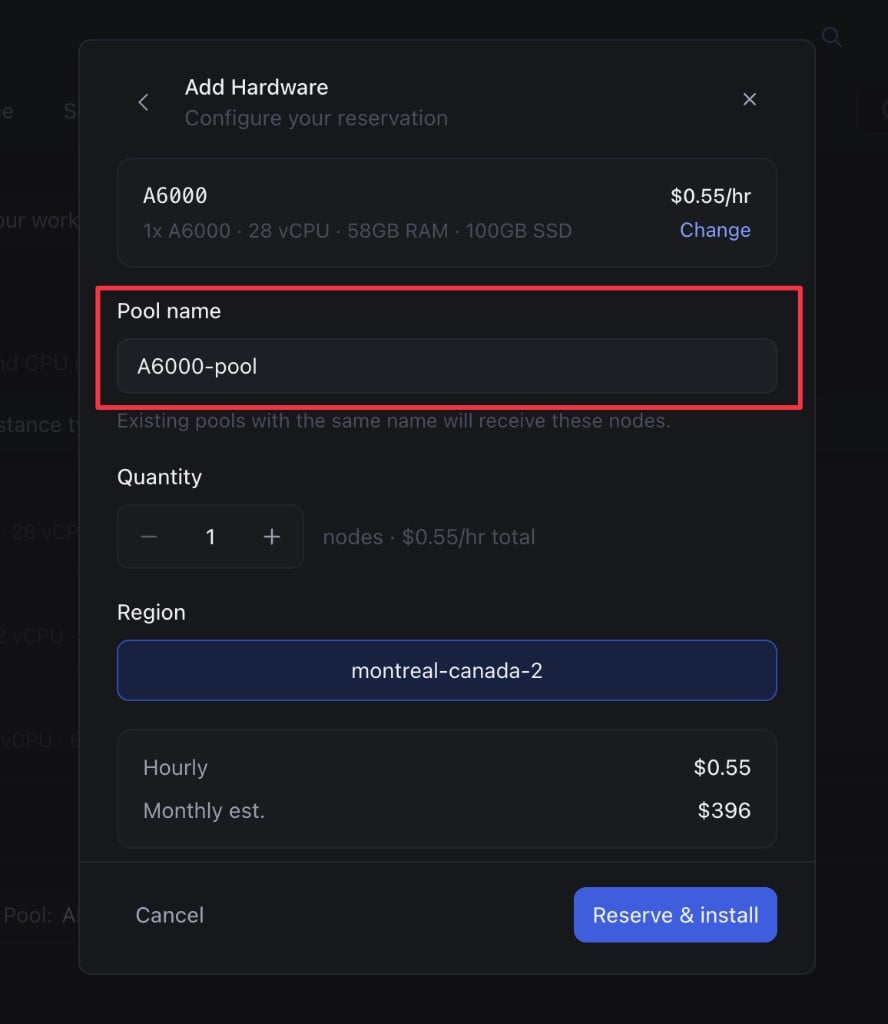 After clicking **Reserve & install**, the nodes are provisioned and joined to your pool automatically.
Pools remain active until they are explicitly terminated. You will continue
to be billed for reserved nodes until you remove them from your account.
## Using a Pool
Once your pool is set up, route workloads to it by passing the `pool` argument to your function decorator:
```python theme={null}
from beam import function
@function(gpu="H200", pool="H200-pool")
def handler():
return {}
```
Any tasks for this function will be scheduled onto machines in the pool, rather than on-demand serverless capacity.
## Bring Your Own Hardware
You can also connect your own machines to a pool. From the **Add Hardware** dialog, choose **Bring your own hardware**, enter a pool name, and run the generated command on your machine:
After clicking **Reserve & install**, the nodes are provisioned and joined to your pool automatically.
Pools remain active until they are explicitly terminated. You will continue
to be billed for reserved nodes until you remove them from your account.
## Using a Pool
Once your pool is set up, route workloads to it by passing the `pool` argument to your function decorator:
```python theme={null}
from beam import function
@function(gpu="H200", pool="H200-pool")
def handler():
return {}
```
Any tasks for this function will be scheduled onto machines in the pool, rather than on-demand serverless capacity.
## Bring Your Own Hardware
You can also connect your own machines to a pool. From the **Add Hardware** dialog, choose **Bring your own hardware**, enter a pool name, and run the generated command on your machine:
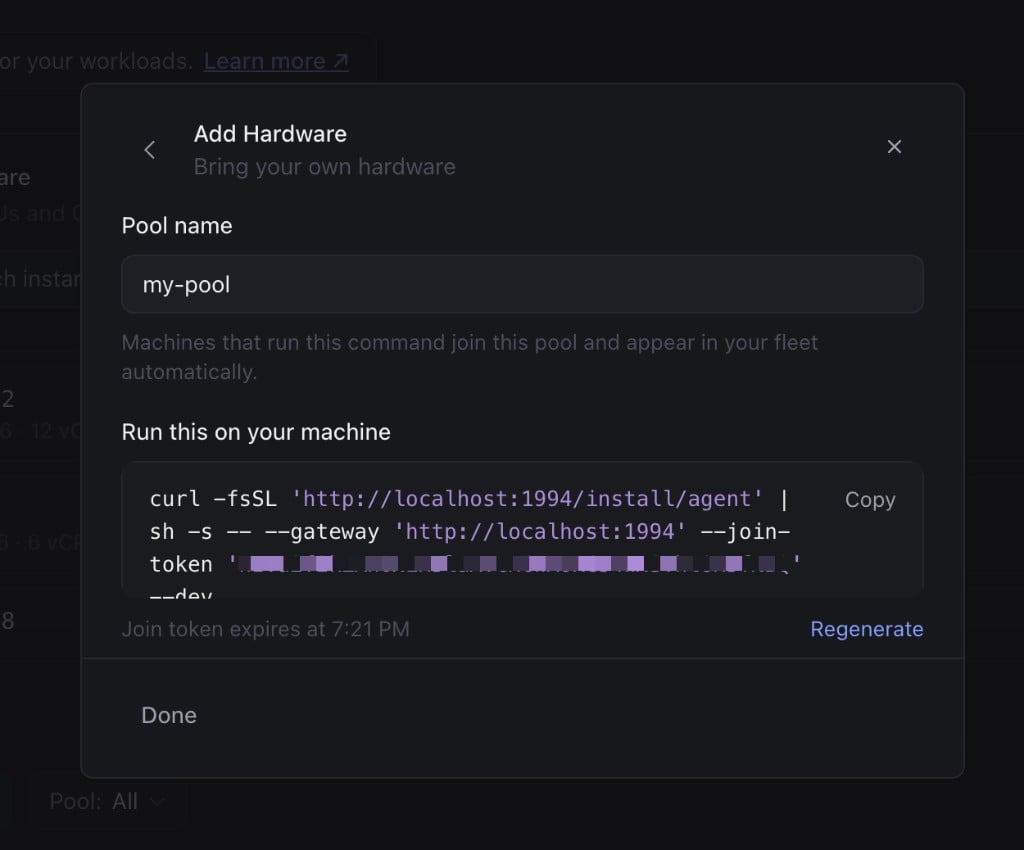 Machines that run this command join the pool and appear in your fleet automatically.