> ## Documentation Index
> Fetch the complete documentation index at: https://docs.beam.cloud/llms.txt
> Use this file to discover all available pages before exploring further.
# CPU and RAM
## Configuring CPU and Memory
In addition to choosing a GPU, you can choose the amount of CPU and Memory to allocate:
```python theme={null}
from beam import function
@function(cpu=2, memory="2Gi")
def some_function():
pass
```
*GPU graphics cards* have VRAM and run on *servers* with RAM.
### RAM vs. VRAM
VRAM is the amount of memory available on the GPU device. For example, if you are running inference on a 13B parameter LLM, you'll usually need at least 40Gi of VRAM in order for the model to be loaded onto the GPU.
In contrast, RAM is responsible for the *amount of data* that can be stored and accessed by the CPU on the server. For example, if you try downloading a 20Gi file, you'll need sufficient disk space and RAM.
In the context of LLMs, here are some approximate guidelines for resources to use in your apps:
| LLM Parameters | Recommended CPU | Recommended Memory (RAM) | Recommended GPU |
| -------------- | --------------- | ------------------------ | ---------------- |
| 0-7B | 2 | 32Gi | A10G (24Gi VRAM) |
| 7-14B+ | 4 | 32Gi | H100 (80Gi VRAM) |
### Monitoring Resource Usage
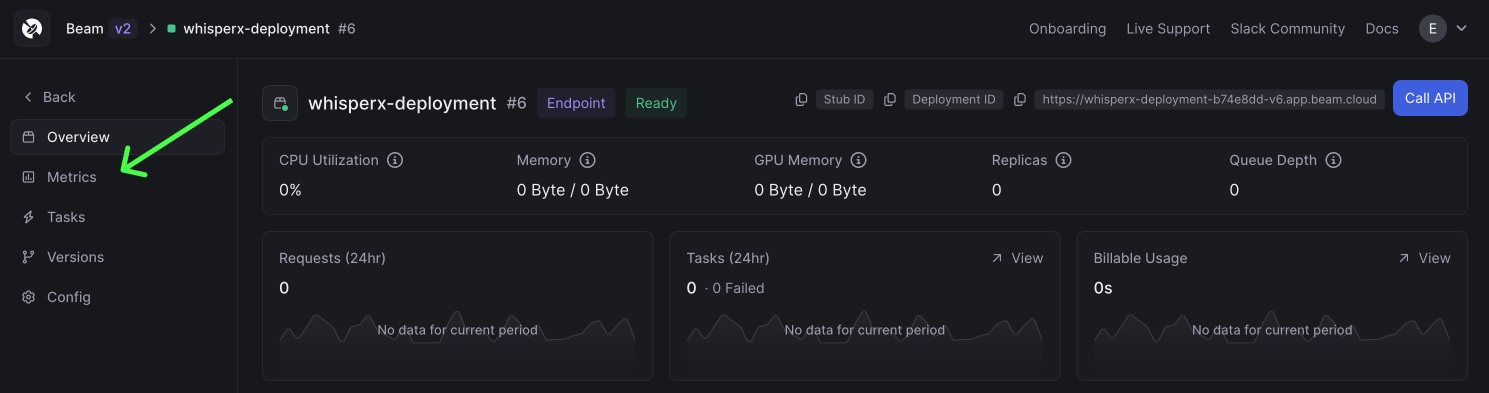
In the web dashboard, you can monitor the amount of CPU, Memory, and GPU memory used for your tasks.
On a deployment, click the `Metrics` button.
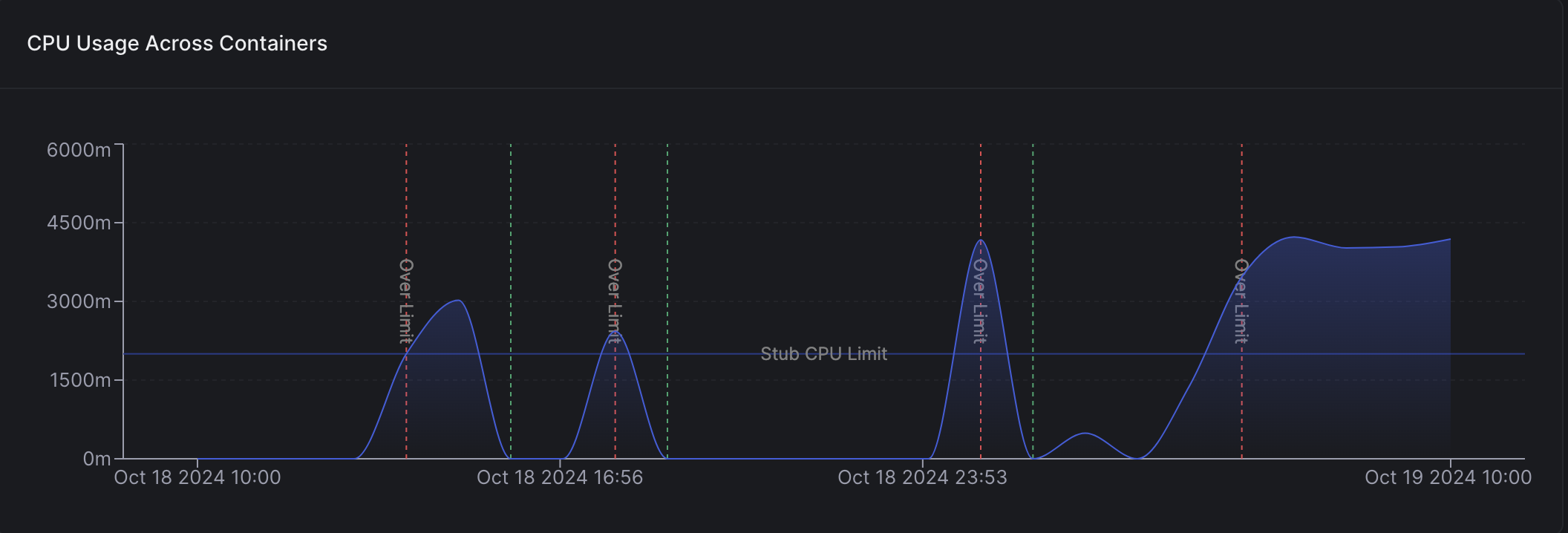
 On this page, you can see the resource usage over time. The graph will also show the periods when your resource usage exceeded the resource limits set on your app: